
How to Reinstall a VPS
Here is a step-by-step guide on how to reinstall your VPS. Keep in mind that the reinstallation completely removes all files, applications, and settings currently stored on the server.
Step 1: Log in to the Client Area.
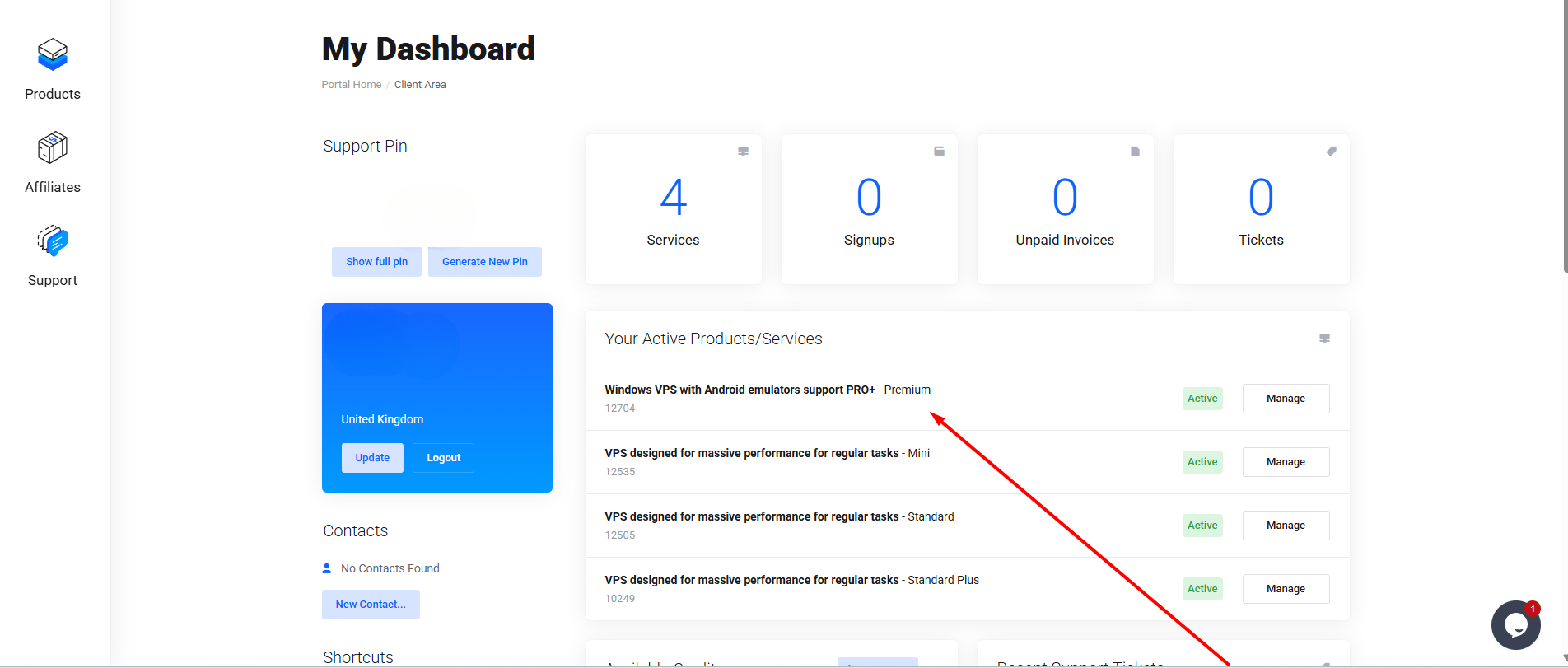
Step 2: Click on the VPS you want to reinstall under “Your Active Products/Services”.
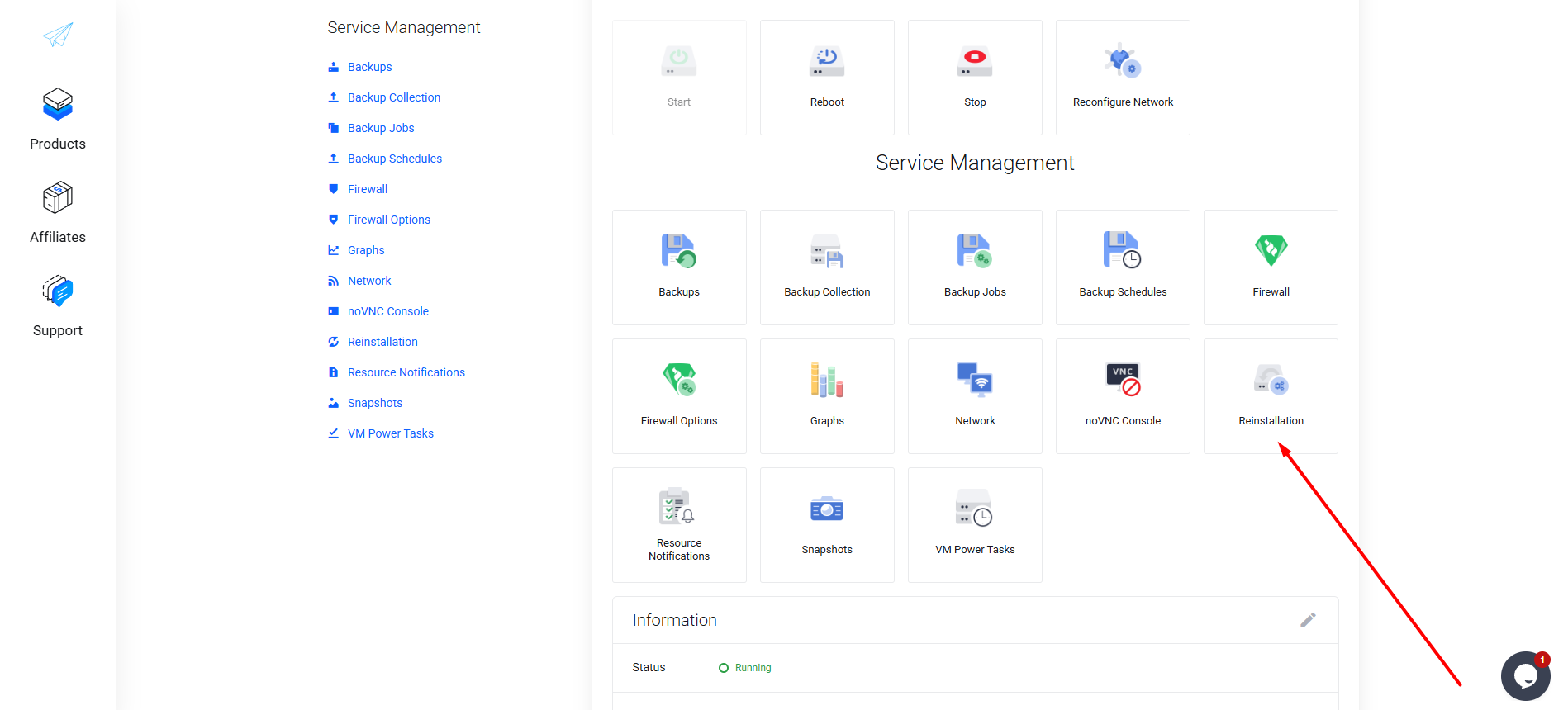
Step 3: Click “Reinstallation”.
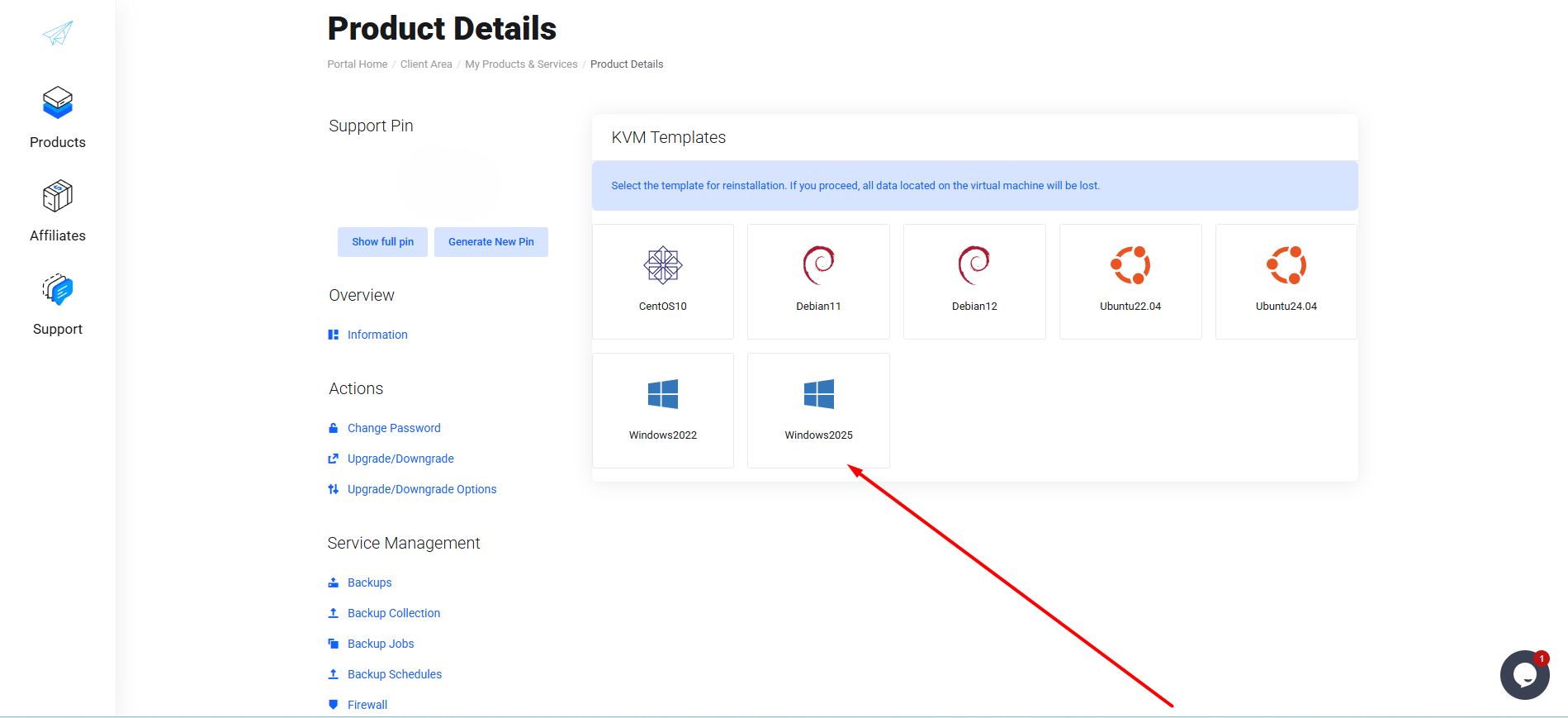
Step 4: Choose the operating system you want to reinstall.
Step 5: Enter your VPS password and click “Confirm”.
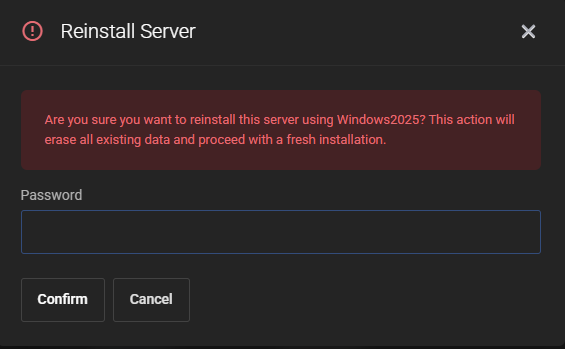
Ready! The reinstallation process has begun and typically takes 3–5 minutes.
Thank you for choosing PetroSky!