
Connecting to a Linux VPS
What is SSH?
SSH (Secure Shell) is a secure and powerful network protocol that allows users to directly access the command line of a Linux server. This gives you the ability to execute Linux commands that control your VPS servers and manipulate files and applications.
SSH uses port 22 by default. However, it's highly recommended to change the SSH port for security purposes, as this is often the first target for potential attacks like brute force attempts.
>_ Connecting to Linux VPS
Using PuTTY on Windows
1 Download and Open PuTTY
If you don’t have PuTTY installed, you can download it directly from the official website. Once installed, open the PuTTY terminal client.
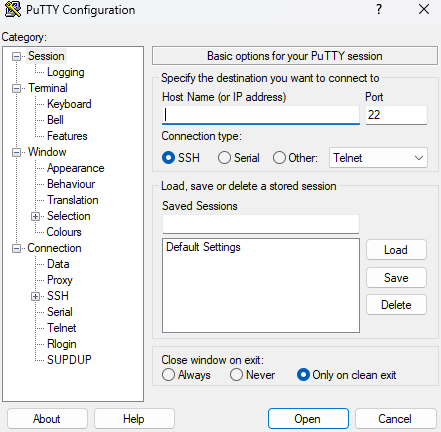
2 Enter Connection Details
Fill in your server connection information:
Port: 22 (Default SSH Port)
Connection Type: SSH
3 Initiate Connection
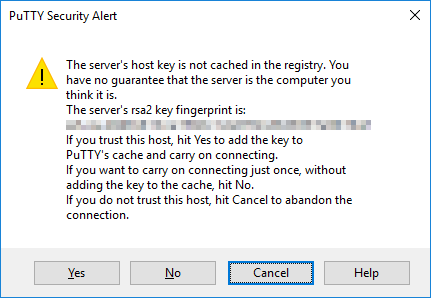
Click “Open” to start the SSH session. If this is your first time connecting from your computer, you’ll see a security alert. Accept the connection by clicking “Yes”.
4 Enter Username
Enter your server username (typically root)
5 Enter Password
Type your password and press Enter. Note: You won’t see your cursor in the password field – this is a security feature.
Password hidden for security